


Autopilot - Investment App
4.71.11K Reviews
App Specs
- Version
- 1.19.25
- Updated On
- License
- Free
- Downloads
- 1,000,000+
- Developer
- Autopilot Holdings Corporation
- Categories
- Finance
- Platform
- Android
Screenshots
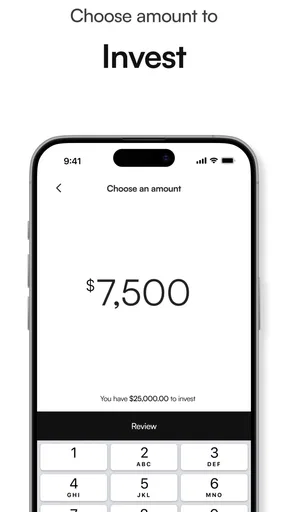
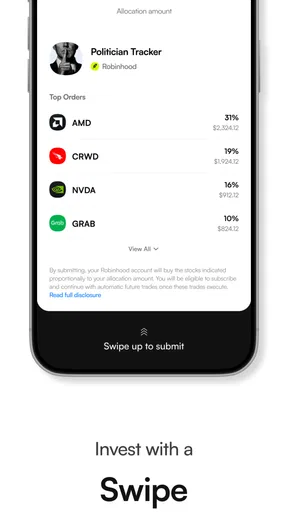
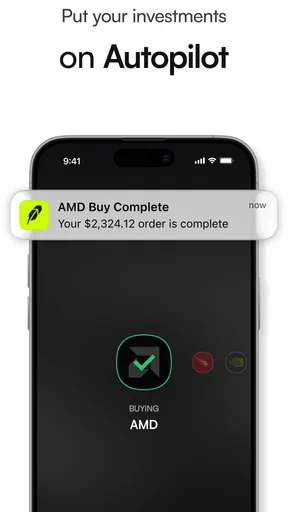
 Analysis by AppCompare
I judge investing apps less by how polished they look than by whether they help me make decisions I can explain to myself later. Autopilot - Investment App is aimed at people who want a more guided route into investing, rather than a screen full of trading tools. That focus can be appealing if you are starting out or prefer to follow a plan, but it also means I would want to understand what the app actually asks me to do before treating it as a hands-off solution.
What free access means in practice
Autopilot is a free finance app from Autopilot Holdings Corporation. That makes it easy to try the app without paying an upfront download price, but free access by itself is not a reason to invest. I would still read the terms shown during setup and check any costs associated with the investment service or products before moving money. An app’s download price and the total cost of investing are not the same thing, and it is worth keeping that distinction clear.
The app has an average rating of 4.8 from around 6,200 ratings, with about 963 written reviews and over 500,000 installs. Those figures suggest that many people have tried it and that user sentiment is strong, but they cannot tell me whether its approach fits my goals or tolerance for risk. I treat ratings as a prompt to investigate, not as a substitute for understanding how an investment works.
Where a guided approach can help
The central value I look for here is reduced friction: a finance app can make it easier to go from “I should start investing” to considering a more deliberate plan. That is useful for someone who finds a traditional brokerage account’s many choices overwhelming. It is less useful if you already know how you want to build a portfolio and mainly need low-cost execution, detailed research, or direct control over every trade.
A practical way to assess the app is to treat setup as a decision checkpoint, not a race. Before linking an account or committing funds, pause to identify the goal, the time horizon, and how much loss you could live with. If the choices presented do not make those points clear to you, stop and compare them with an option whose risks and costs you can readily explain. Guided suggestions can help organize a decision; they do not remove the need to make one.
Tradeoffs I would keep in view
Automation can be convenient, but “set and forget” should not mean “never check.” I would review an automated investing plan from time to time, especially after a change in income, a near-term expense, or a shift in when I expect to use the money. Rebalancing and goal tracking may help keep a plan organized, but neither guarantees a return or makes an unsuitable risk level suitable.
There is also a real tradeoff between convenience and control. A guided interface may make the first steps feel less intimidating, while giving less room for a hands-on investor to choose and adjust every detail. If you want to compare individual investments, place trades frequently, or research securities in depth, a conventional brokerage may suit you better. If you mainly want structure, a guided app may be easier to approach, provided its choices are transparent enough for you to trust.
Worth Reading Before You Choose

EA SPORTS FC Mobile 26 Is a Bigger Football Game, but It Takes Time

Flipboard Shows What News Apps Must Do Beyond the Feed

Switching to Android Auto Means Rethinking Your Driving Routine

Google Calendar Makes a Crowded Week Easier to Manage

Ludo King Makes the Most of the Minutes Between Plans

Baby Panda World Brings Quick Play to Modern Phones, but Its Game Library Feels Busy
Who is likely to get the most from it?
I can see Autopilot being most useful to a beginner who wants an organized starting point and is willing to learn while making decisions. It may also suit someone with a defined long-term goal who prefers reminders and a guided process over building a portfolio from scratch. It is a weaker fit for money needed soon, for anyone uncomfortable with investment risk, or for a person who expects an app to replace personal judgment or professional financial advice.
For example, imagine I am paid at the end of the month and want to begin investing toward a goal several years away. I could use a quiet moment after payday to review the proposed plan, check that I understand the risk, and decide whether the amount leaves enough for bills and unexpected costs. I would not connect an account while distracted or move money simply because an onboarding flow makes the next step easy. That small pause helps keep convenience in its proper role: a tool for follow-through, not a reason to act.
Getting Started with Autopilot
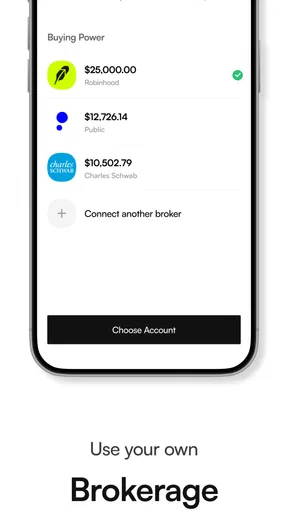
Setting up Autopilot is a breeze. You download it from your respective app store, and within minutes, you’re ready to start your investment journey. The app walks you through the initial setup with a friendly, conversational tone. It feels like you've got a financial advisor right in your pocket, without the hefty fees.
Once you’re in, you’ll be prompted to link your bank account. I know, handing over your banking details can be a bit nerve-wracking. But fear not, Autopilot uses top-notch security measures to keep your info safe. It’s like having Fort Knox on your phone.
User Interface and Experience
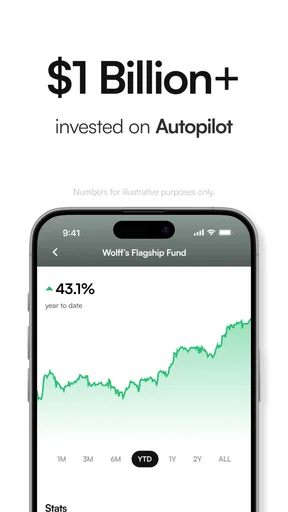
The user interface is clean and intuitive. I’m talking about a layout that even your grandma could navigate. The dashboard gives you a quick overview of your investments, goals, and performance, all in one place. It’s visually appealing, with easy-to-understand graphs and charts. No more squinting at tiny numbers or deciphering complex financial jargon.
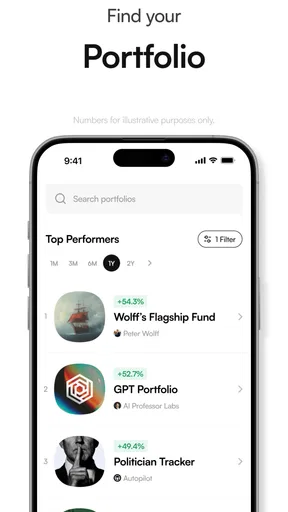
One thing I love is how they break down investment options. You have everything from conservative to aggressive plans, and the app even offers personalized suggestions based on your risk appetite. It’s like having a tailor for your finances.
Features Worth Mentioning
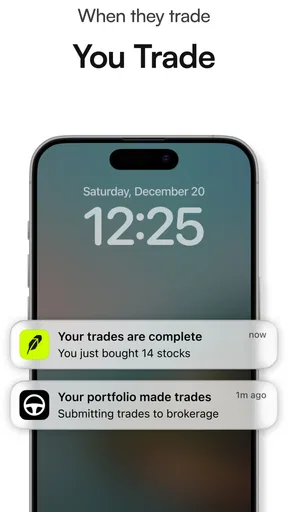
Now, let’s talk features. Autopilot boasts a range of tools that make investing not just easy, but also fun. The automatic rebalancing feature ensures your portfolio stays aligned with your goals, without you lifting a finger. It’s perfect for those of us who want to "set it and forget it."
Another nifty feature is the goal tracker. You can set specific financial goals, like buying a house or saving for a vacation, and the app helps you stay on track. It’s like having a digital cheerleader, encouraging you every step of the way.
And let’s not forget about the learning resources. Autopilot offers a treasure trove of educational content. Whether you’re a newbie or a seasoned investor, there’s something for everyone. It’s like attending finance class without the boring lectures.
Using goals and automation thoughtfully
The most useful way I would approach the goal tracker is to make each goal concrete before entering it: what the money is for, roughly when I expect to need it, and whether that date can move. A vacation fund needed soon and a long-range wealth goal should not be treated as interchangeable just because both appear in the same dashboard. If I have several aims, I would prioritize them rather than create a crowded list that feels productive but obscures which one matters most.
Automatic rebalancing is best understood as a maintenance tool, not a return enhancer. It can help a portfolio stay close to its chosen allocation, but it cannot predict markets or guarantee that the allocation is right for me. I would use the learning material to check that I understand what a change means, then review the plan when my circumstances change. That workflow is more deliberate than simply enabling automation and assuming the job is finished.
For a beginner, the educational material may be most valuable when used alongside a specific question rather than as background reading without a purpose. If I am unsure what a risk choice means, I would look for an explanation before accepting a suggestion. If the explanation still leaves me uncertain, that is a reason to pause, not to guess. This is one of the practical limits of a mobile investing experience: concise guidance can make concepts approachable, but it cannot know every detail of a person’s finances.
Making the app fit an everyday routine
A sensible routine does not require checking investments every day. I would choose a regular moment—perhaps when reviewing monthly spending—to look at progress toward goals and confirm that the plan still matches my needs. The point is to notice meaningful changes, not react to every movement in the market. Frequent checking can make short-term fluctuations feel more important than the original time horizon.
I would also keep near-term spending separate in my own planning. If rent, a car repair, or another likely expense could force me to sell investments at an inconvenient time, that money belongs in a different part of my budget. A goal tracker can help me keep intentions visible, but it does not replace an emergency reserve or a realistic cash-flow plan. That distinction is especially important for someone who is new to investing and tempted to treat every saved dollar as investment money.
Customer Support and Community
Now, what happens if you hit a snag? The customer support on Autopilot is top-notch. There’s a live chat feature that connects you to a real human (yes, they still exist) ready to assist you. Plus, there’s a vibrant community of users sharing tips and advice. It’s like being part of an exclusive club where everyone wants you to succeed.
Questions worth resolving before committing
Before I move beyond exploring the app, I would make sure I understand how a suggested plan is chosen, what happens when I change a goal, and what steps are involved in withdrawing or adjusting money. I would also check the applicable costs and terms at the point where they are presented. These are not reasons to avoid a guided app; they are sensible questions for any investing service, and the answers should be clear enough to support an informed choice.
I would treat community discussion as a place to hear how other people think, not as individualized financial guidance. Another user’s timeline, risk tolerance, and finances may be very different from mine. For an account-specific problem, the support channel is a better starting point than copying a stranger’s strategy. Even helpful peer advice needs to be checked against my own goals and the actual terms of the service.
Availability and practical fit
The app was released on November 15, 2023, and its current version is 1.17.7. It is rated for Everyone and requires Android 10 or later on Android devices. Those details help with basic compatibility, but they do not tell me whether the investing approach is right for a particular person. I would still make the decision based on clarity, risk, and fit rather than the age rating or version number.
In the usual finance-app comparison, Autopilot sits closer to guided investing than to a traditional self-directed brokerage. The latter can be a better match for someone who wants to choose investments and manage each transaction directly; a guided service can be more approachable for someone who values a structured path. Neither style is automatically superior. What matters is whether the amount of control, explanation, and responsibility matches how I want to manage my money.
Final Thoughts
So, what’s the bottom line? The Autopilot - Investment App is a solid choice for anyone looking to dip their toes into the world of investing. It’s user-friendly, packed with features, and backed by excellent support. Whether you’re saving for something special or just want to grow your wealth, this app has you covered.
If you’re ready to take the plunge, you can find Autopilot available for download on both Android and iOS. So go ahead, give it a whirl and let your money start working for you.
My buy-or-skip verdict
I would try Autopilot if I wanted a guided investing experience and was prepared to review the plan rather than follow it blindly. The free download lowers the barrier to exploring it, while the app’s guidance, goals, and automation may make the process feel more manageable. I would skip it if I needed hands-on trading, could not accept investment losses, or wanted to invest money I may need in the near future. In those situations, a self-directed brokerage or a non-investment savings option may be a better fit.
Overall, I see its value in helping a person approach investing with more structure, not in promising effortless growth. Take time during setup, understand the choices and costs, and use the tools to support a plan you already understand. If that is the kind of help you want, it is worth exploring; if you want complete control or certainty, I would look elsewhere.
Pros
- User-friendly interface for easy navigation.
- Comprehensive portfolio tracking features.
- Real-time market data and updates.
- Customizable investment alerts and notifications.
- Diverse investment options available.
Cons
- Limited customer support availability.
- Subscription fee required for premium features.
- Occasional app performance lags.
- Requires stable internet connection.
- Limited educational resources for beginners.
FAQs for Autopilot - Investment App
What is Autopilot - Investment App?
Autopilot - Investment App is a cutting-edge platform designed to simplify the process of investing for both beginners and seasoned investors. It offers automated portfolio management, real-time market analysis, and personalized investment strategies tailored to your financial goals. The app ensures your investments are diversified and managed efficiently, making it a convenient tool for growing your wealth.
How does Autopilot ensure the security of my investments?
Autopilot prioritizes user security by employing advanced encryption protocols and secure data storage methods. The app uses two-factor authentication to protect your account from unauthorized access. Additionally, it is compliant with financial regulations, ensuring that your investments are managed in a secure and transparent environment.
What are the fees associated with using Autopilot?
Autopilot offers a competitive fee structure, typically charging a small percentage of your assets under management annually. This fee covers the costs of portfolio management, market analysis, and other services. There are no hidden fees, and the app provides clear, upfront information about any charges, allowing you to make informed decisions about your investments.
Can I customize my investment strategy with Autopilot?
Yes, Autopilot allows you to customize your investment strategy according to your financial goals, risk tolerance, and investment timeline. The app provides a range of options, from conservative to aggressive strategies, and suggests personalized portfolios based on your preferences. This flexibility ensures that your investment plan aligns with your unique objectives.
Is Autopilot suitable for beginners?
Absolutely. Autopilot is designed with user-friendly interfaces and provides educational resources to help beginners understand the basics of investing. The app offers guided setup processes and automated management, making it easy for those new to investing to start building their portfolios without needing extensive financial knowledge.


